Unused Badges
Use the menu item Unused Badges to determine which persons have not used their badge during a specific period.
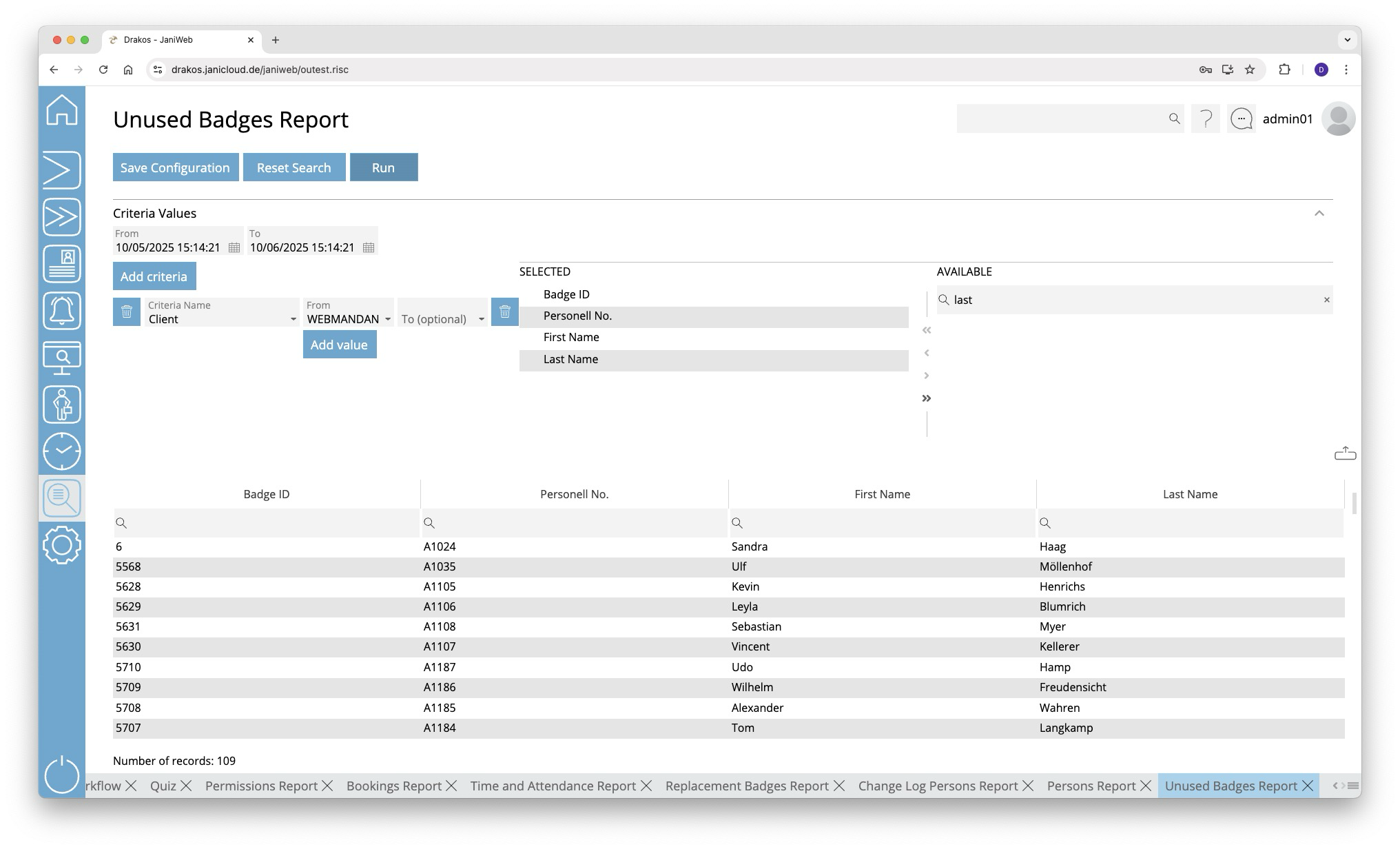
Creating the report
In this report, use criteria and values to define the group of persons to be evaluated and select the data fields to be displayed from a list. To do so, follow these steps:
- Specify the time period you want to check for unused badges (From – To).
- Press Add criteria.
- Select the required criterion from the list field.
- Press Add value.
- In the From field, select a single value or use both fields to specify a range.You can also specify multiple values for the same criterion (Add value).
- (Optional) Add another criterion with value(s).
- Drag the data fields (columns) you want to display from the list Available to the list Selected. Or use the arrow buttons.
- Press Run to start the report.
Logic of criteria and values
- The values within the same criterion are linked logically by OR (one match is sufficient).
- Different criteria are linked logically by AND (all criteria must be met).
Further options with the report
- Search in columns: Enter text or numbers in the search field (magnifying glass icon) of a column to search for names, personnel numbers, or other criteria. The entries take effect immediately: the list only displays hits.
- Export the entire list: Press the download icon. Select the format in which you want to export the list. The export files are downloaded or displayed depending on the browser/operating system settings. For details on the available export formats, see the General > Export Formats chapter of this manual.
- Save report: For details on saving reports, see the chapter General > Custom Reports.
Button Reset Selection
Press Reset Selection to reset all fields to their initial value.