
Evacuation Manager
The Evacuation Manager gives you an overview of persons who are currently logged into an unsafe zone. In the event of an alarm, employees may no longer be able to log out of their zone properly (no time, card reader no longer working). You can use the evacuation manager to manually transfer persons from unsafe zones to a safe zone after you have checked their presence.
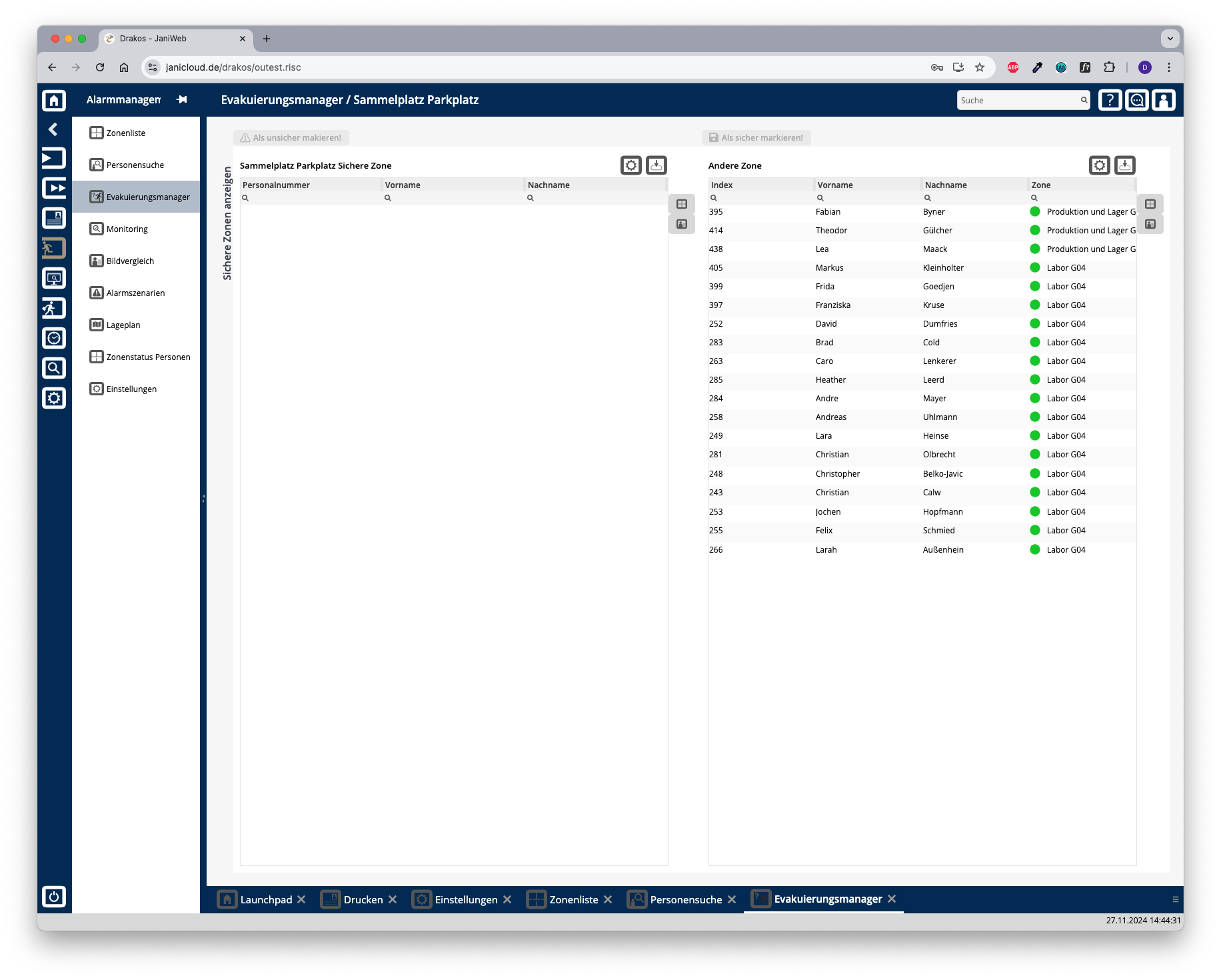
Lists Safe Zone / Other Zones
The list on the right contains all persons in unsafe zones. To book a person into a safe zone:
The persons now appear in the list on the left-hand side and are booked into the safe zone.
In the opposite case (e.g. due to an incorrect rebooking), proceed in the same way: Book people from the safe zone into the unsafe zone by selecting them in the left-hand list and then pressing the button Confirm as unsafe!. The persons will then reappear in the list of unsafe zones.
Buttons for display format
Use the icons to the right of the lists to select whether the persons are displayed in text form or with their photo.
Further options with the lists
Export the entire list: Press the download icon. Select the format in which you want to export the list. The export files are downloaded or displayed depending on the browser/operating system settings.For details on the available export formats, see the General > Export Formats chapter of this manual.