
Qualifications
The Qualifications menu item allows you to create profiles to which certain permissions are linked. By assigning such a qualification to persons, the persons automatically inherit the permissions of the qualification.
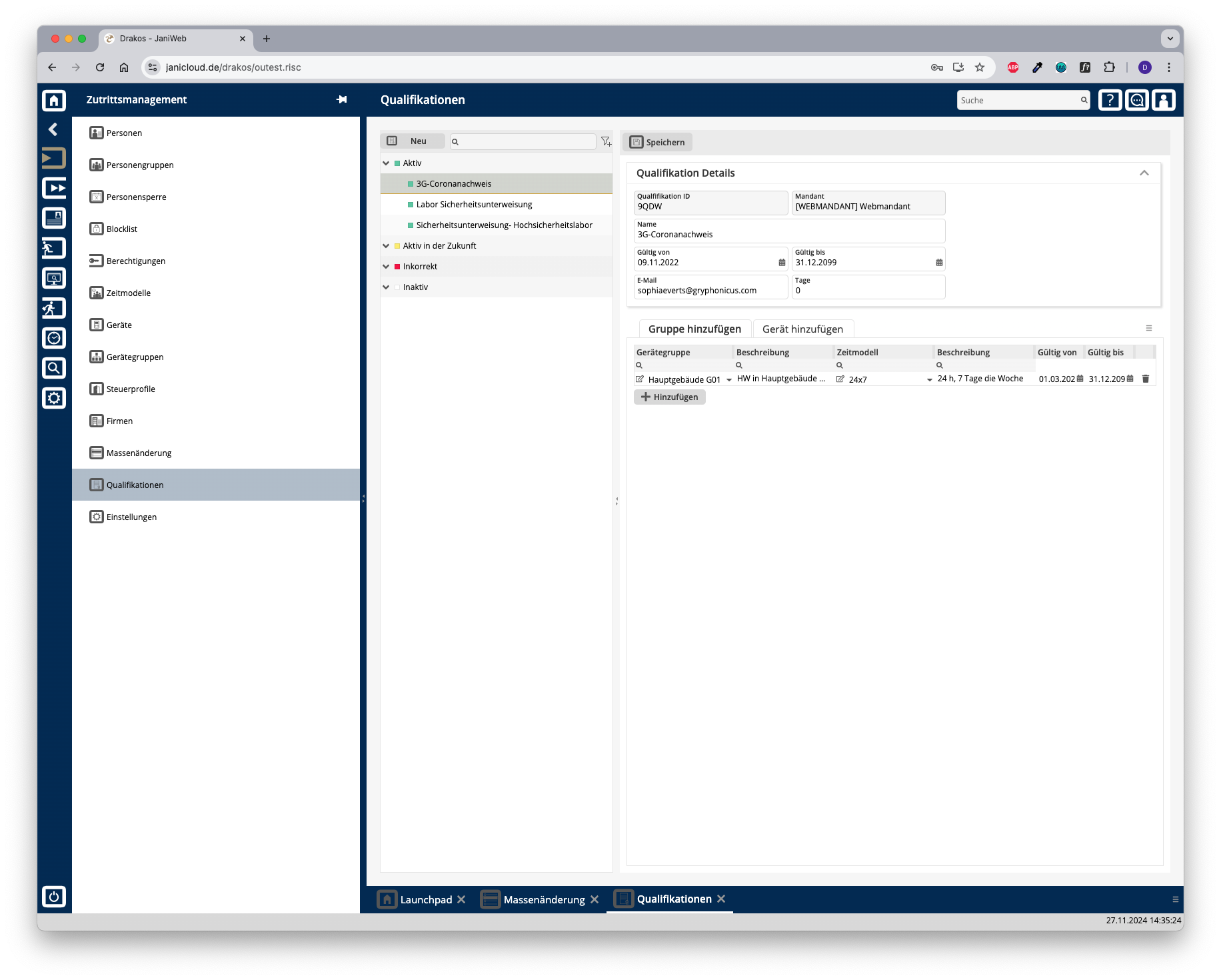
List of qualifications
The list contains the qualifications that have already been created. Select an entry to view details.
The list offers the following options:
Button New
Press New to create a new qualification. Enter a description and additional information, and press Save.
Area Details
Define the general properties of the qualification here.
Press Save to apply your changes.
Tabs Add Device Group / Add Device
Here you can link permissions for the use of certain device groups or devices to the selected qualification. To add another device group or device to the list:
To remove a device group or device from the list, press the corresponding trash icon.
TIPS
To assign a qualification to a person, select the person via the Persons menu item. Then select the desired skill on the Qualifications tab.
Permissions for devices / device groups that are assigned to a qualification can only be changed via the qualification. It is then no longer possible to create permissions for these devices or device groups in the usual way.