
JaniAccess – Access Control Basics
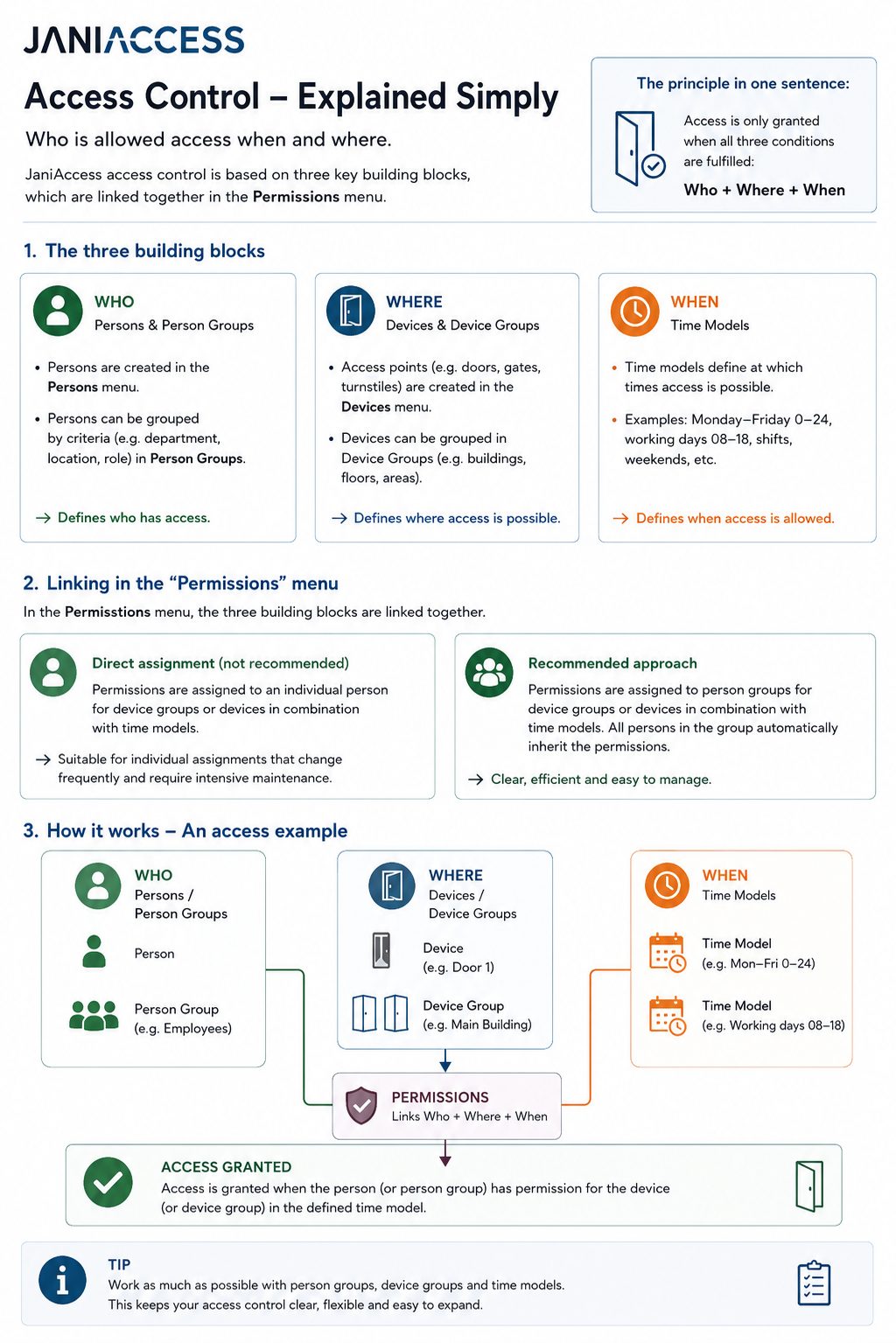
JaniAccess access control is based on a simple principle:
Who is allowed to access which areas and when?
Every access permission consists of these three components, which are linked together to determine whether access is granted.
1. Who? – Persons and Person Groups
Individual users are created and managed in the Persons menu. To simplify administration, persons can be organized into Person Groups based on common characteristics such as department, location, role, or employment type.
Examples of person groups:
- Production Employees
- Office Staff
- External Contractors
- Cleaning Staff
Using person groups significantly reduces the effort required to manage access permissions.
2. Where? – Devices and Device Groups
Each controlled access point (e.g. doors, gates or turnstiles) is configured as a device. Multiple devices can be combined into Device Groups to simplify permission management.
Examples of device groups:
- Main Building
- Production Area
- Administration
- Warehouse
- Outdoor Areas
Assigning permissions to device groups allows multiple access points to be managed with a single configuration.
3. When? – Time Models
A time model specifies the days and times during which access is allowed.
Examples:
- Monday – Friday: 00:00 – 24:00
- Monday – Friday: 08:00 – 17:00
- Weekends
- Night Shift
- Holiday Schedule
Time models can be combined with any person, person group, device, or device group.
4. Assigning Permissions
Permissions can be assigned in two different ways.
Option 1: Assign Permissions to Individual Persons (Not Recommended)
Permissions can be assigned directly to a single person by linking a device or device group with a time model.
Example:
John Smith → Main Entrance → Monday–Friday 08:00–17:00
This approach is suitable only for exceptional cases. As the number of individually assigned permissions grows, administration becomes increasingly complex and difficult to maintain.
Option 2: Assign Permissions to Person Groups (Recommended)
The recommended approach is to assign permissions to Person Groups.
In this case, a person group is linked to a device or device group together with a time model.
Every person who belongs to that group automatically inherits the assigned permissions.
Example:
Person Group Office Staff
→ Device Group Administration Building
→ Time Model Monday–Friday 08:00–17:00
All members of the Office Staff group automatically receive these access rights.
This approach keeps the access control system structured, scalable, and easy to maintain.
Summary
Every access permission is created using the same principle:
Best Practice: Whenever possible, assign permissions to Person Groups instead of individual persons and use Device Groups together with Time Models. This approach keeps the access control configuration organized, scalable, and easy to manage, even in large installations.